Billing that keeps up
Create and settle a bill in seconds, adjust items and discounts without starting over, and record cash, card and UPI payments in the same workflow.

Billing, orders, tables, inventory and reports for cafes — in one POS.
Web app · Pricing on request
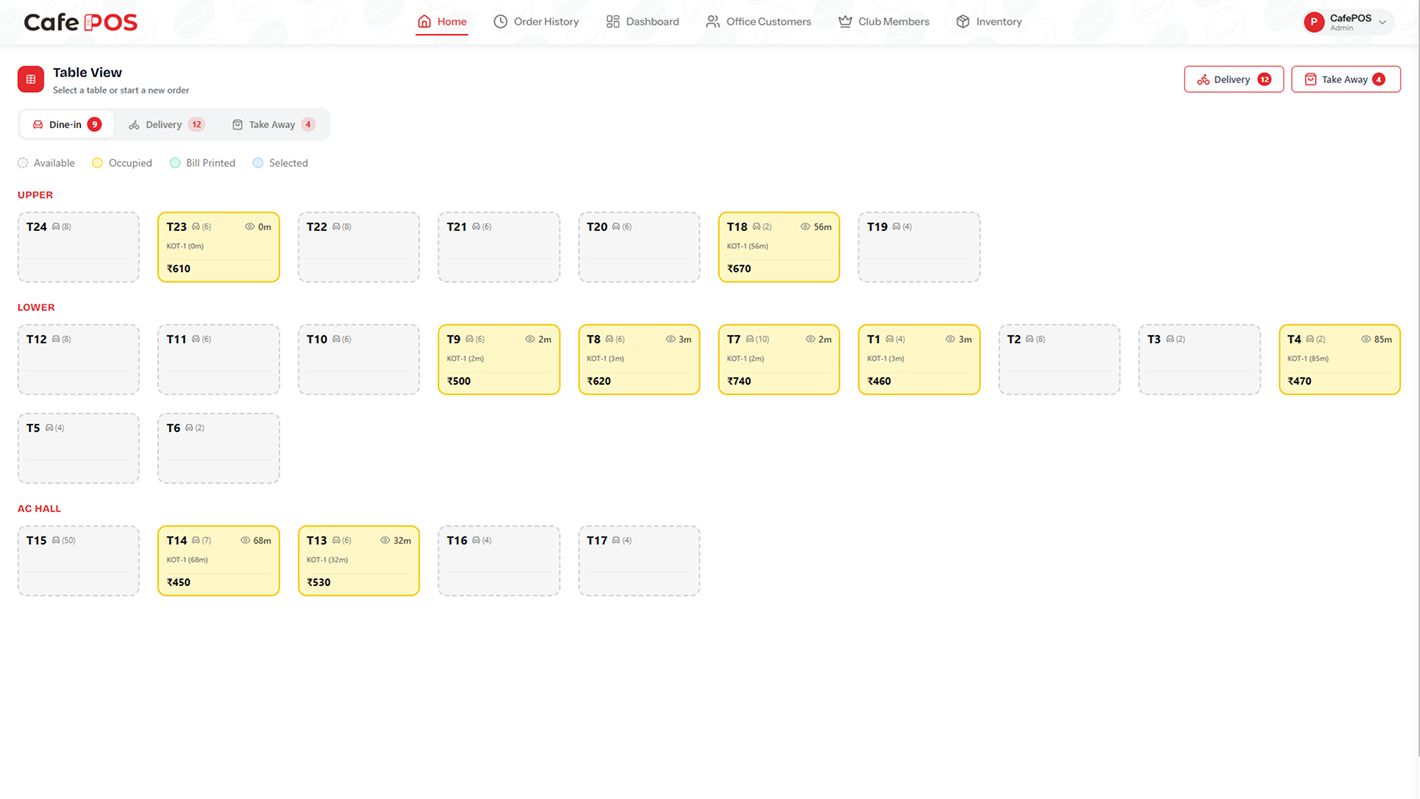
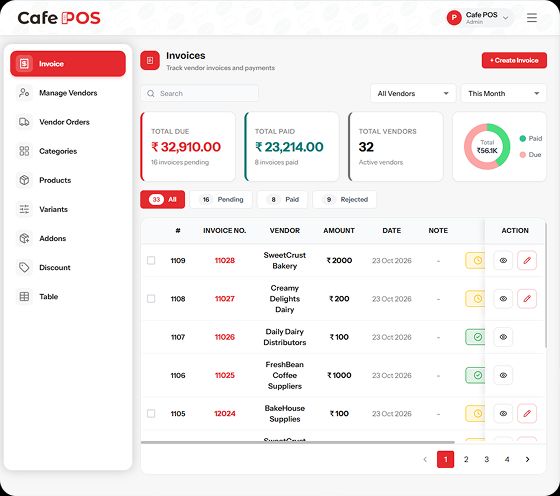
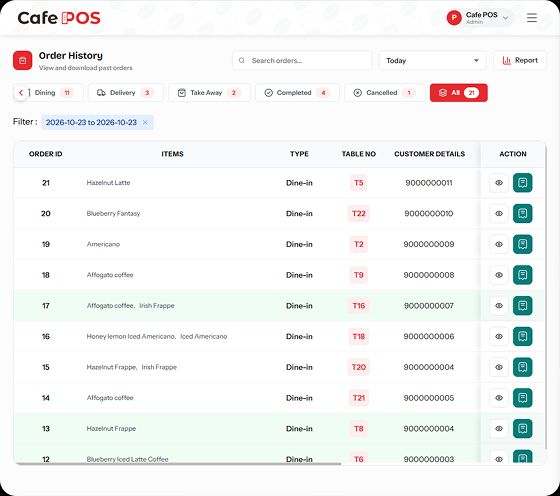
CafePOS brings the counter and the back office together: fast billing, dine-in, takeaway and delivery orders, table layout, inventory, customer records and sales reports in one web-based POS.
Built for the counter, the kitchen and the back office.
Create and settle a bill in seconds, adjust items and discounts without starting over, and record cash, card and UPI payments in the same workflow.
Dine-in, takeaway and delivery orders share one board, so nobody has to ask which screen an order is on. Status updates travel to the kitchen as they happen.
Lay out the floor the way it is actually arranged, attach dine-in orders to a table, and see what is open at a glance during a rush.
Keep stock levels, vendors and purchase records in one place, and spot the item that is about to run out before service starts.
Keep a customer record with their order history, so regulars are recognised and repeat visits can be rewarded instead of forgotten.
Review sales, transactions and item performance without exporting anything by hand — the numbers the day produced, ready when you close.
Start with billing and tables, then add staff management, loyalty tools and multi-outlet controls as the business grows.
Three steps from install to the first real use.
Add categories, items, prices and options, then lay out your tables. GST and other tax settings are configured here too.
Ring up dine-in, takeaway or delivery, attach it to a table, apply the discount, and settle by cash, card or UPI.
Check sales, stock movements and customer activity in reports, then restock what the day used up.
Can't find it here? Ask support — a real person answers.
Practical guides on running a cafe, billing and the floor — written by the team that builds CafePOS.
A POS is not a billing app with extra tabs. It is where orders, tables, stock and money meet, so the questions that matter are about the seams between them.
ReadA cafe bill is a tax document before it is a receipt. Here is what belongs on it, how composition differs from regular registration, and where POS setups usually go wrong.
ReadTable management is not a diagram. It is a set of rules for moving, merging and closing tabs — and the rules decide whether service stays calm at 8pm.
ReadThree apps keep the work on the phone. CafePOS deliberately does not. The rule was never local processing at any cost — it is choosing where data has to live for the job to work.
Read
Pause the endless scroll. Solve one small puzzle first.

A gallery that feels like a feed. An editor that stays offline.

Paper to private PDF, without a cloud account.

Your phone, one swipe away.

The iPhone home screen, on your Android.