ScrollBreak app icon

ScrollBreak

A screen-time breaker that turns doom-scrolling into a moment of focus.

On Google PlayAndroidNo accountOn-device
Get it on Google Play

Free to install · Android 9 and newer

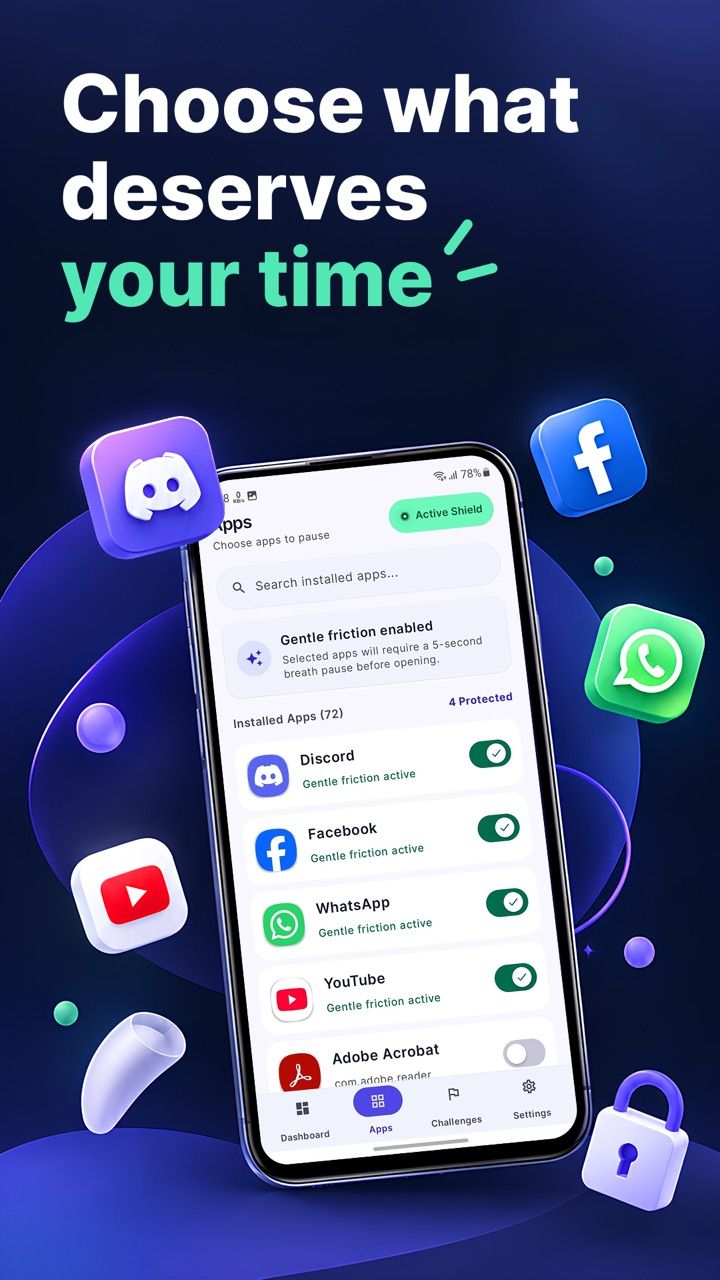
ScrollBreak app picker listing installed apps with protected toggles
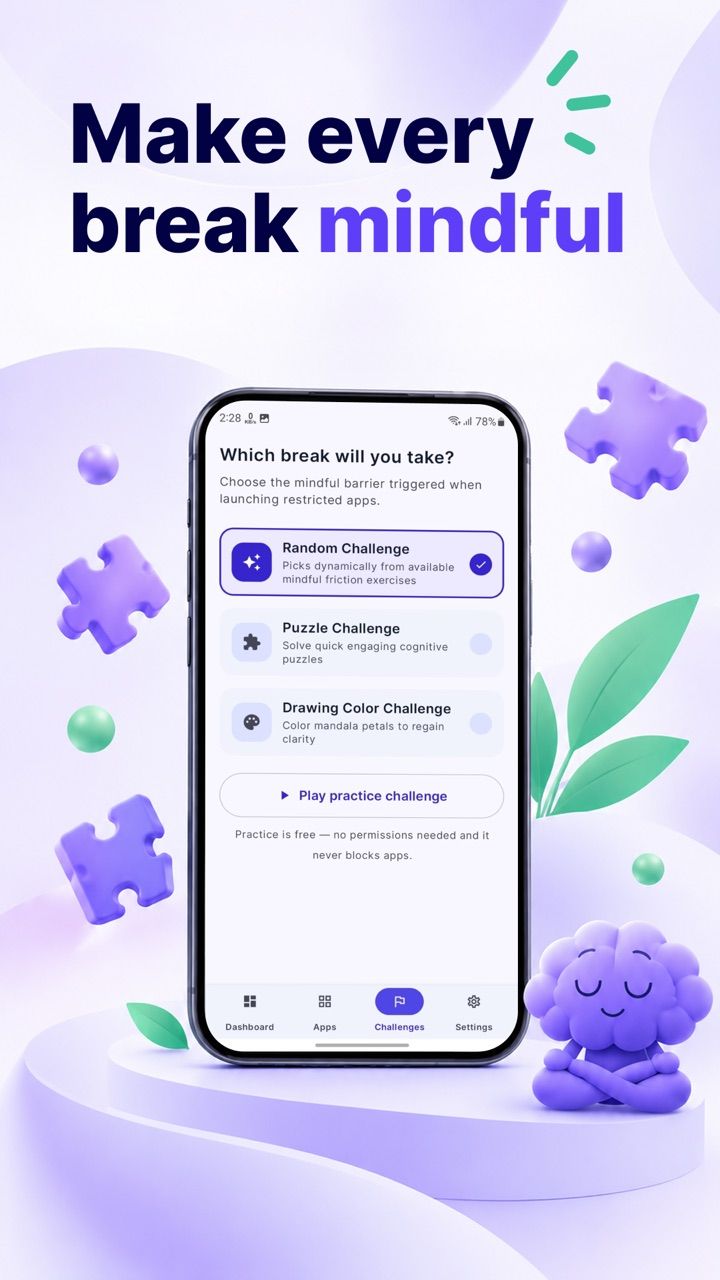
ScrollBreak challenge chooser with puzzle, coloring and practice options
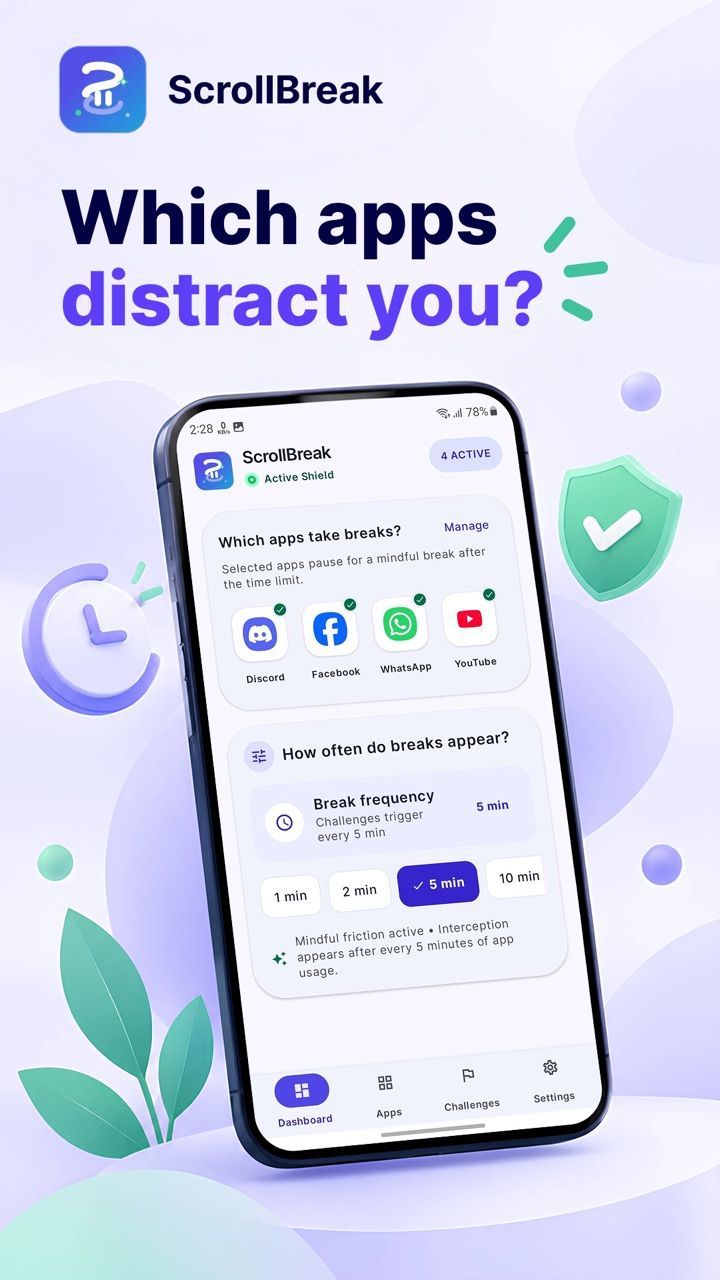
ScrollBreak dashboard showing protected apps and break frequency

Choose the apps that eat your time. After the limit you set, ScrollBreak interrupts with a short, solvable mind-refresh instead of a hard block.

What it does

Features

Everything below works with the network switched off.

Gentle friction, not a wall

Protected apps get a short break after the interval you choose — usually five minutes of use. Solve it and you are back; nothing is deleted and nothing is permanent.
Three ways to reset

A jigsaw puzzle, a coloring template or a breathing exercise. Random mode rotates between them so the break never becomes muscle memory.

Practice before you commit

Try any challenge with zero permissions granted. Practice mode blocks nothing and writes nothing — you can leave a practice challenge with the back gesture.

On-device by design

Screen-time figures come from Android’s own UsageStatsManager and never leave the phone. There is no account and no cloud sync; free-plan analytics is consent-gated and never runs on Pro.

A dashboard that tells the truth

See how much time went into protected apps and what your last session cost you — without a scoreboard that gamifies the thing you are trying to stop doing.

Difficulty that adapts

Puzzle difficulty is progressive, so the break stays a small speed bump rather than turning into a second job.

Getting started

How it works

Three steps from install to the first real use.

Protect the apps that pull you in

Pick from your installed apps. Short-form video, social feeds, anything that turns five minutes into forty.

Set the interval and the challenge

Choose how often the break appears — 1, 2, 5, 10, 15 or 20 minutes — and whether it is a puzzle, coloring or breathing.

Solve the break, keep your time

When the interval is up, ScrollBreak opens the challenge. Solve it and the app unlocks for another round.

Details

Specifications

Status
Live on Google Play
Platforms
Android 9+
Price
Free to install
Account
Not required
Processing
On-device only
Package
com.scrollbreak.app
Updated
28 October 2026
FAQ

ScrollBreak questions

Can't find it here? Ask support — a real person answers.

What does ScrollBreak actually do?
ScrollBreak watches the apps you choose, measures how long you use them, and after the interval you set it opens a short mind-refresh challenge. Solving the challenge returns you to the app. It is friction, not a blocker: you can always get back in, just not automatically.
Why does ScrollBreak need an accessibility service?
Android only tells an app which app is in the foreground through the Accessibility API. ScrollBreak uses it to notice when a protected app becomes active and when it is closed, and for nothing else. The service does not read screen content and does not send anything off the device.
Does ScrollBreak collect or share my data?
No. Usage figures stay in local storage on your phone, there is no account and no cloud sync. The free plan shows one banner on the Challenges tab plus an optional rewarded ad; ScrollBreak Pro removes ads entirely. Free-plan analytics is consent-gated (never on Pro) and crash diagnostics are used only to fix stability; neither includes your usage history or protected-app names. The full detail is in the privacy policy.
Can I close a challenge without solving it?
Not during a real break — the back gesture is deliberately blocked so the pause actually happens. Practice challenges are different: they need no permissions, block nothing and can be exited at any time.
Does ScrollBreak work offline?
Yes, completely. Every challenge ships inside the app: 100 puzzle images and 49 coloring templates, all local. Nothing in the core loop needs a network connection.
What is ScrollBreak Pro?
The free plan protects two apps. Pro removes that limit, adds schedule windows such as bedtime guard and work hours, and removes ads entirely. Pricing and any current offer appear on the Google Play listing, which is always the source of truth.
Which Android versions are supported?
Android 9 (API 28) and newer. ScrollBreak needs the usage-access and accessibility permissions to observe foreground apps, and it asks for both during onboarding.
How do I stop ScrollBreak from interrupting me?
Open Android Settings → Accessibility and turn ScrollBreak off, or clear the protected app list inside the app. Nothing is locked behind an uninstall — the service is a normal accessibility service you control.
Guides

ScrollBreak reading

Practical guides on running a cafe, billing and the floor — written by the team that builds ScrollBreak.

How to see which apps you use most on Android

Android already measures your app usage — it just hides it. Where the real numbers live, what they actually count, and how to read them without turning screen time into a scoreboard.

Read

How to stop doomscrolling without deleting the app

Deleting Instagram is the advice everyone gives and almost nobody keeps. A practical look at friction, why hard blocks fail, and what actually changes a scrolling habit.

Read

The best screen time apps for Android in 2027

Hard blocks, breathing pauses and puzzle breaks do different things to you. What each Android screen-time app actually does at the limit, and how to pick one that survives week two.

Read

Foreground app detection without QUERY_ALL_PACKAGES

How ScrollBreak notices when a protected app becomes active, why the accessibility service is the only reliable route, and how to do it without declaring broad package visibility.

Read

Read the policy before you install

ScrollBreak's privacy policy and terms are hosted here, identical to the text bundled inside the app.
Also from the studio

The other apps

ReelRoll icon

ReelRoll

A gallery that feels like a feed. An editor that stays offline.
ScanLocker icon

ScanLocker

Paper to private PDF, without a cloud account.

CafePOS icon

CafePOS

Run the counter, the tables and the kitchen from one screen.