iOS Launcher app icon

iOS Launcher

An iPhone-style home screen for Android — iOS icons, App Library and Today widgets.

AndroidNo accountOn-device

Web app · Pricing on request

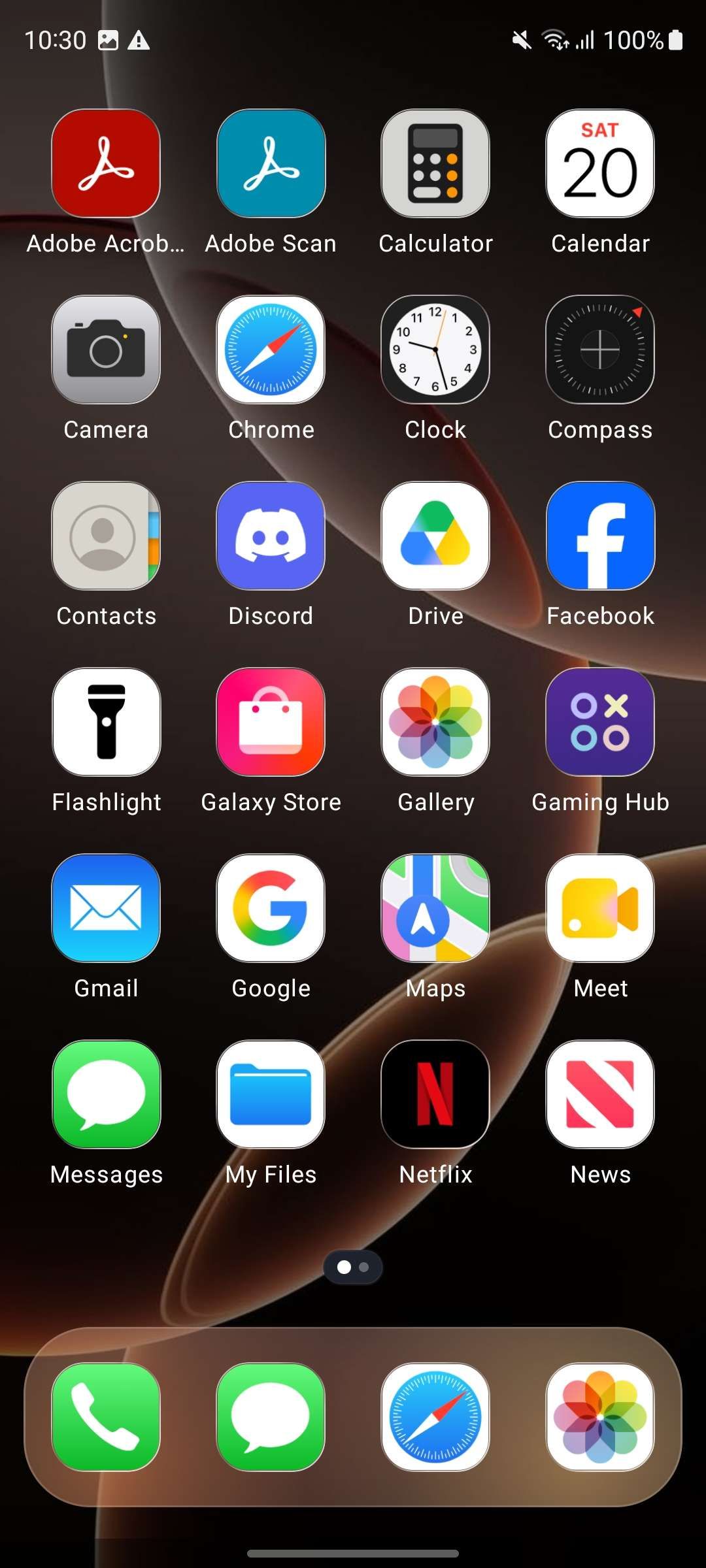
iOS Launcher home screen with iPhone-style icons, page dots and a four-app dock
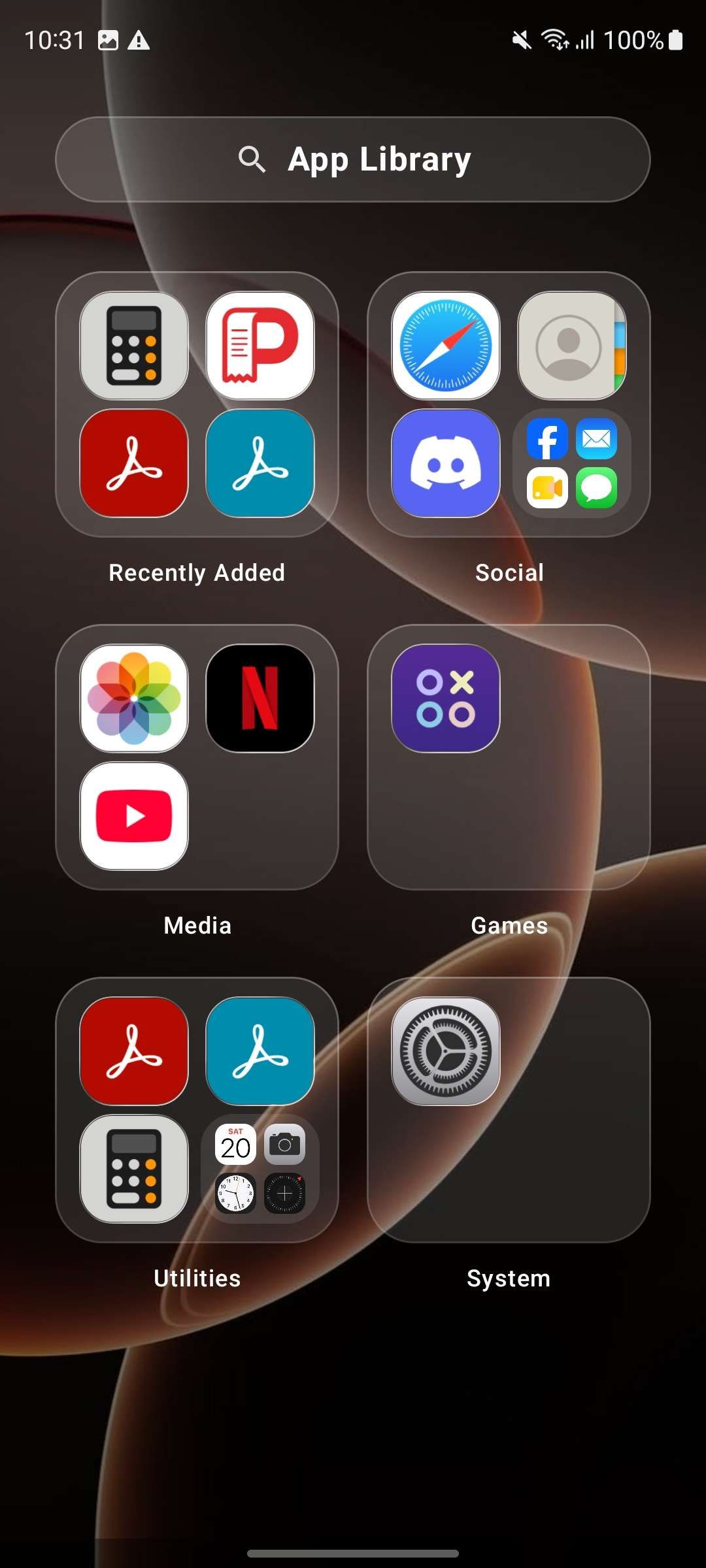
iOS Launcher App Library with Recently Added, Social, Media, Games, Utilities and System categories
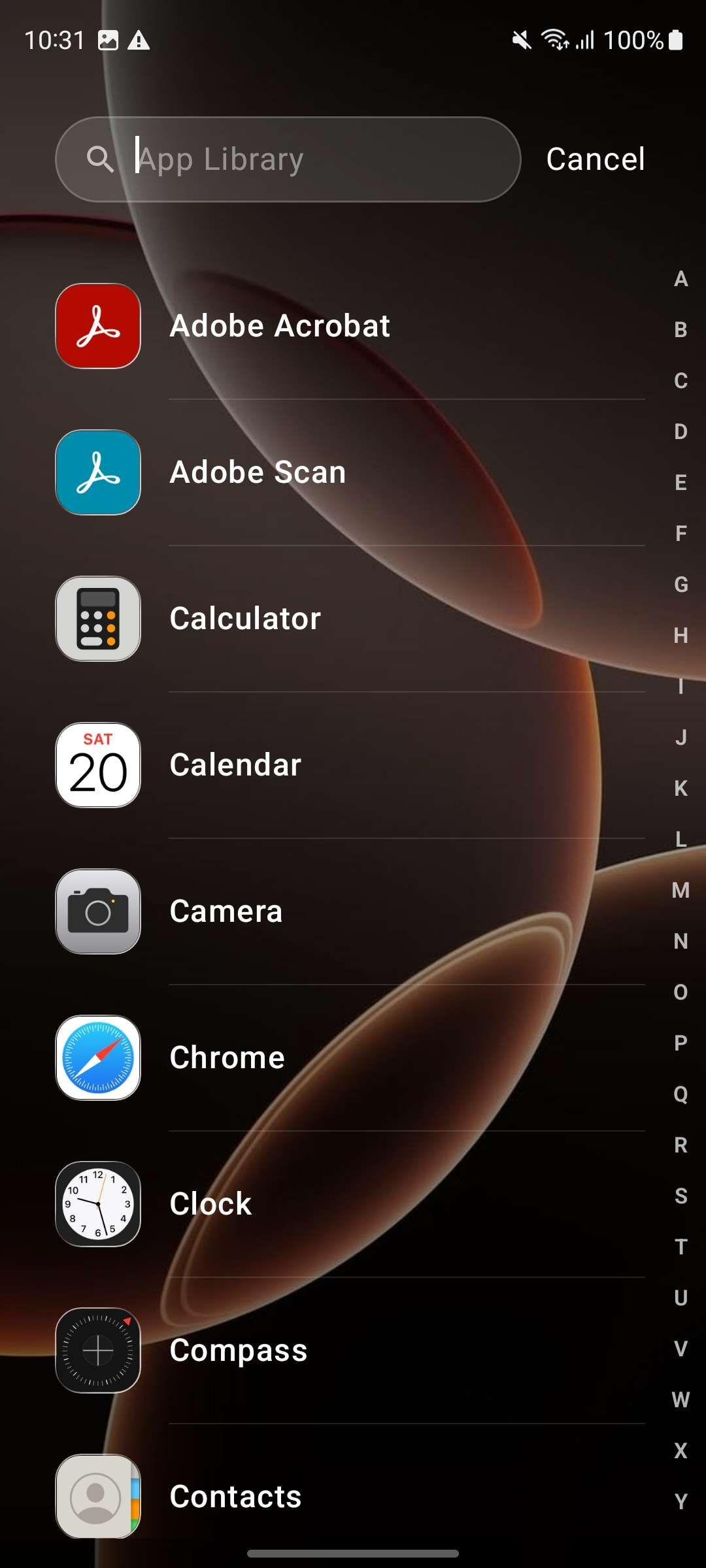
iOS Launcher App Library search with an A–Z index
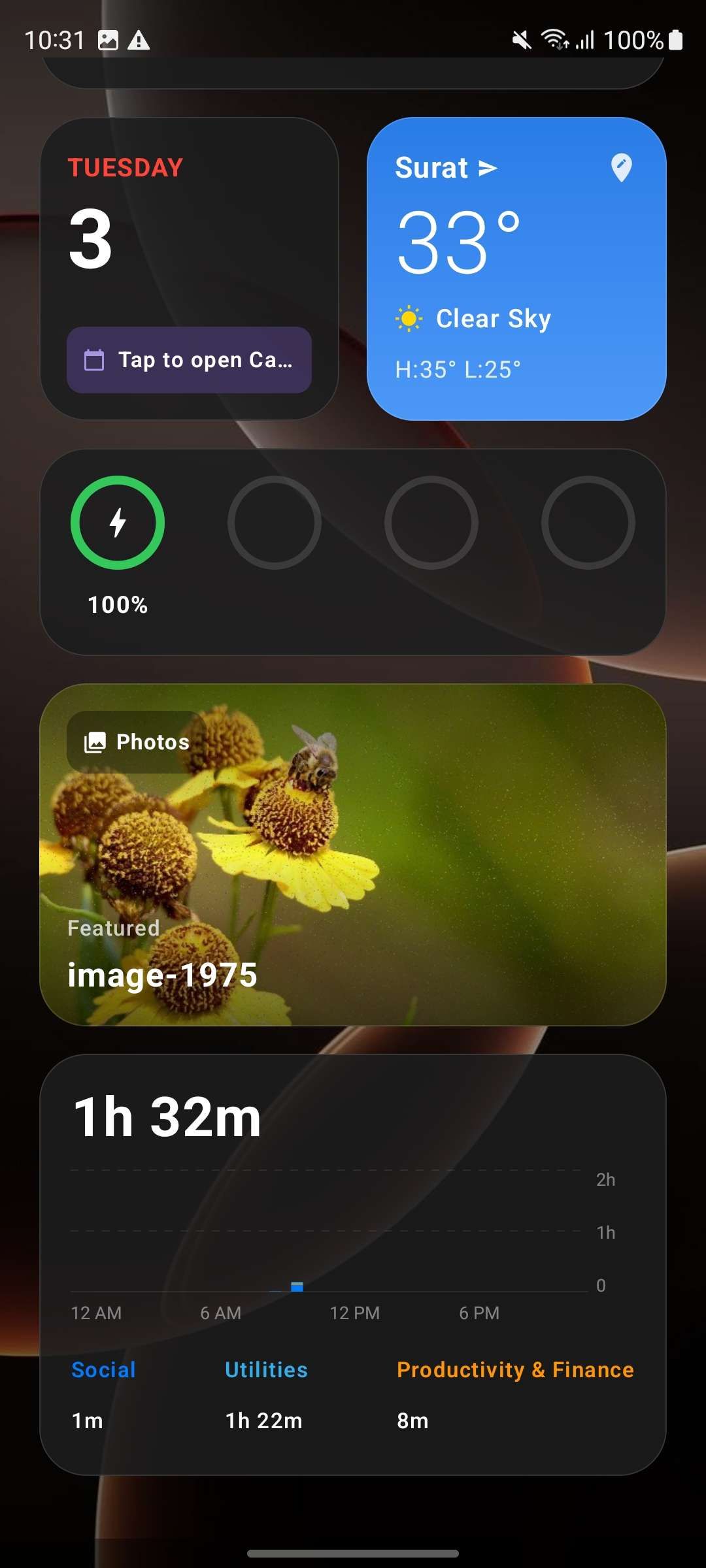
iOS Launcher Today widgets for calendar, weather, battery, Photos and screen time

iOS Launcher brings the familiar iPhone home-screen layout to Android: rounded iOS-style icons, a four-app dock, page dots and a page-by-page App Library sorted into categories. Today widgets, torch, compass, calculator and a built-in news reader sit alongside it — and nothing leaves the device.

What it does

Features

Everything below works with the network switched off.

An iPhone-style home screen

Rounded iOS-style icons, a four-app dock and paging dots replace the stock grid. The layout is deliberately familiar, so switching takes minutes rather than a weekend.
An App Library that stays tidy

Every launchable app is sorted into Recently Added, Social, Internet, Media, Games, Utilities and System. Open a category folder, search by name, or use the A–Z index to jump to any app.

Today widgets and everyday tools

A Today page with calendar, weather, battery, Photos, screen time and world-clock widgets, plus built-in torch, compass, calculator and Google News.

Private by default

No account, no ads and no analytics SDK. The installed-app list, calendar, photos and app usage are processed on the device. Network requests are limited to Google News headlines and an optional Open-Meteo weather forecast.

Getting started

How it works

Three steps from install to the first real use.

Make iOS Launcher your home app

Install, accept the terms and choose iOS Launcher as the default home app. Android will ask once; you can change it back at any time.

Choose your scroll style

Pick vertical scrolling or horizontal pages during setup, then arrange the home screen, Today widgets and App Library to suit you.

Use the home screen

Tap a dock app, swipe to the App Library page, or open the Today page for widgets, Torch, Compass, Calculator and News.

Details

Specifications

Status
In development
Platforms
Android 9+
Price
Free to install
Account
Not required
Processing
On-device only
Package
com.prodevinfotech.ioslauncher
Updated
3 November 2026
FAQ

iOS Launcher questions

Can't find it here? Ask support — a real person answers.

Is iOS Launcher free?
Yes. iOS Launcher is free, with no ads, no in-app purchases and no subscription. There is no account to create.
Is iOS Launcher affiliated with Apple?
No. iOS Launcher is an independent Android application made by Prodev Infotech. It is not affiliated with, endorsed by or sponsored by Apple Inc. iPhone and iOS are trademarks of Apple Inc., used here only to describe the visual style.
Why does a launcher need app visibility?
Android only shows an app the other apps it declares an interest in. iOS Launcher declares a query for apps with a launcher activity so the App Library can list everything you can open from the home screen. It does not request the broad QUERY_ALL_PACKAGES permission, and the list stays in memory on the device — never uploaded, stored or shared.
Does iOS Launcher track me or show ads?
No. There is no advertising SDK, no analytics SDK and no crash-reporting SDK. Preferences stay in Android private storage. Network requests happen only when you open the News screen (public Google News RSS feeds) and when the weather widget refreshes from Open-Meteo using your coordinates, which are never stored.
What permissions does it ask for?
Camera is used only to control the flash for the torch modes. Location is optional: the Compass shows coordinates on-device, and the weather widget sends coordinates to Open-Meteo to fetch the forecast. Photos, calendar and app usage are read on-device for the Today widgets. Internet is used for news and weather. None of these readings are stored or used for advertising.
Can I go back to my old launcher?
Yes. Open Android Settings → Apps → Default apps → Home app and choose your previous launcher. iOS Launcher does not lock you in.
Guides

iOS Launcher reading

Practical guides on running a cafe, billing and the floor — written by the team that builds iOS Launcher.

How to sort your Android app drawer into categories

An app drawer is a list in install order pretending to be a filing system. Three ways to sort 120 apps, the six buckets that survive contact with real use, and what to do with the ones you never open.

Read

Read the policy before you install

iOS Launcher's privacy policy and terms are hosted here, identical to the text bundled inside the app.
Also from the studio

The other apps

ScrollBreak icon

ScrollBreak

Pause the endless scroll. Solve one small puzzle first.
ReelRoll icon

ReelRoll

A gallery that feels like a feed. An editor that stays offline.
ScanLocker icon

ScanLocker

Paper to private PDF, without a cloud account.

CafePOS icon

CafePOS

Run the counter, the tables and the kitchen from one screen.