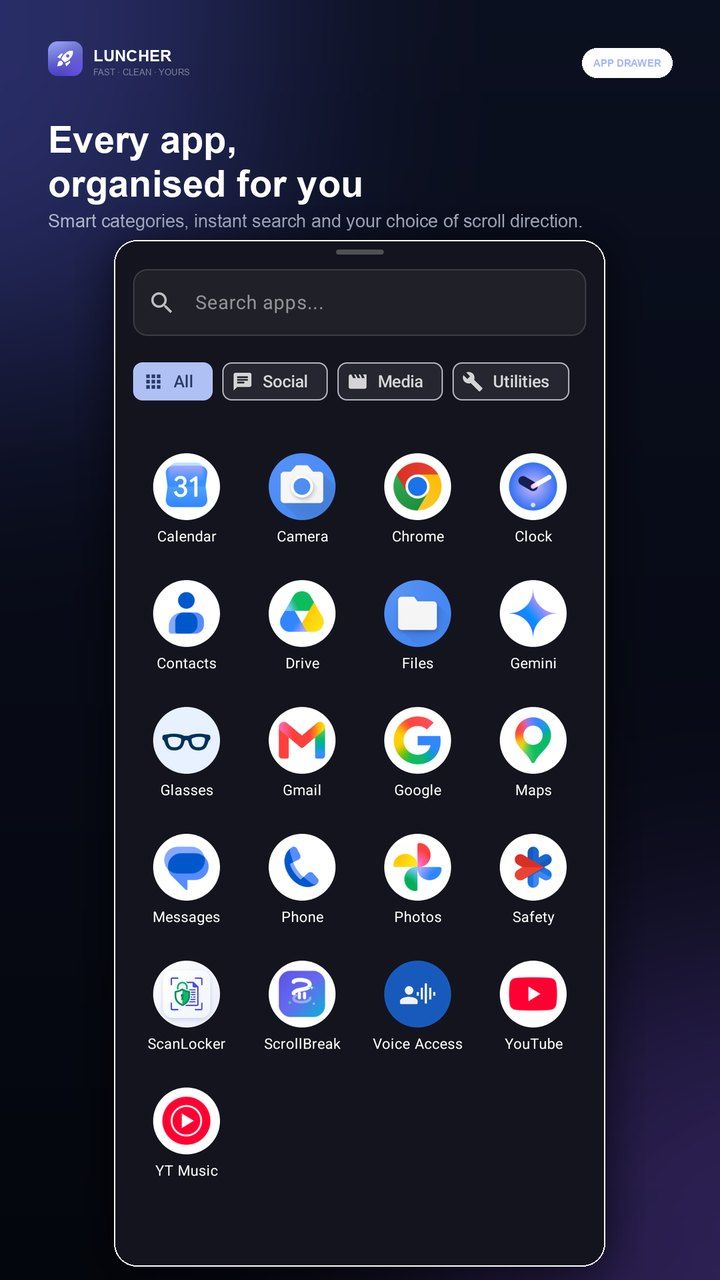
An app drawer that stays tidy
Every launchable app is sorted into Social, Internet, Media, Games, Utilities and System. Search by name, or switch the drawer to vertical or horizontal pages.

A fast, ad-free Android launcher with every app and everyday tool one swipe away.
Free to install · Android 9 and newer
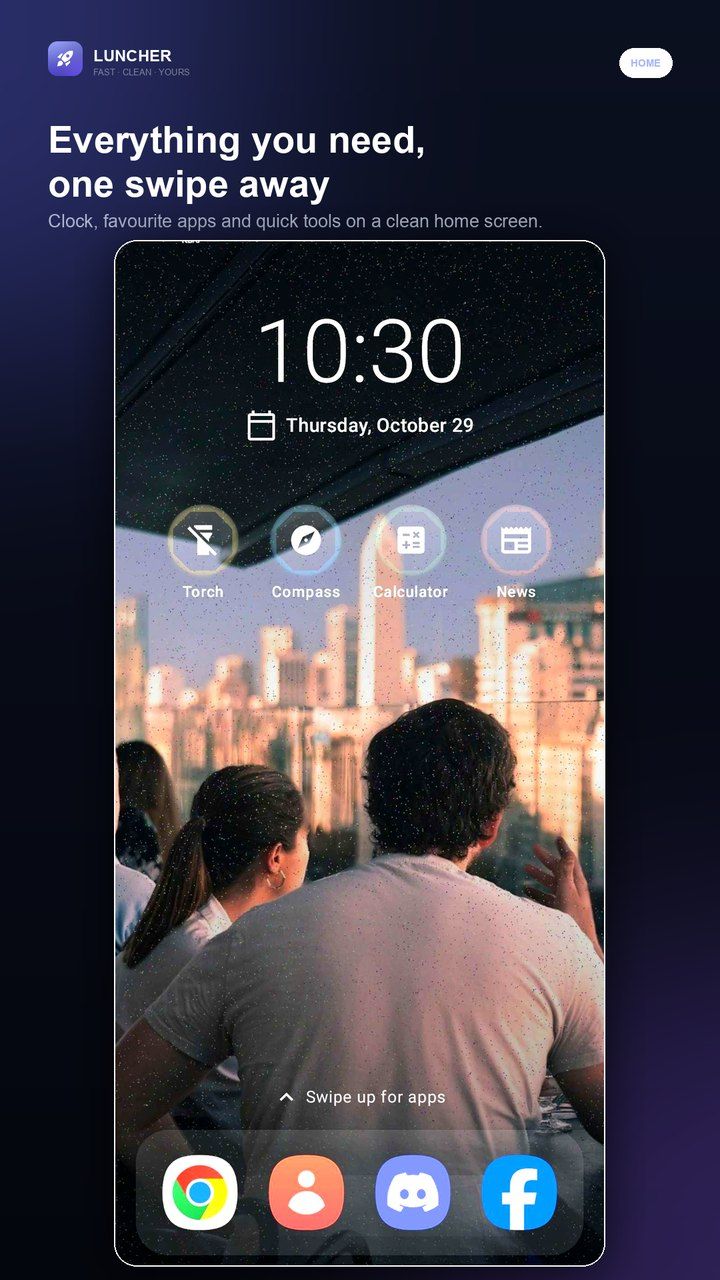
Launcher replaces your home screen with a focused clock, a four-app dock, quick tools and a categorised app drawer. Torch, compass, weather, calculator and Google News are built in, with no account and no ad SDK.
Everything below works with the network switched off.
Every launchable app is sorted into Social, Internet, Media, Games, Utilities and System. Search by name, or switch the drawer to vertical or horizontal pages.
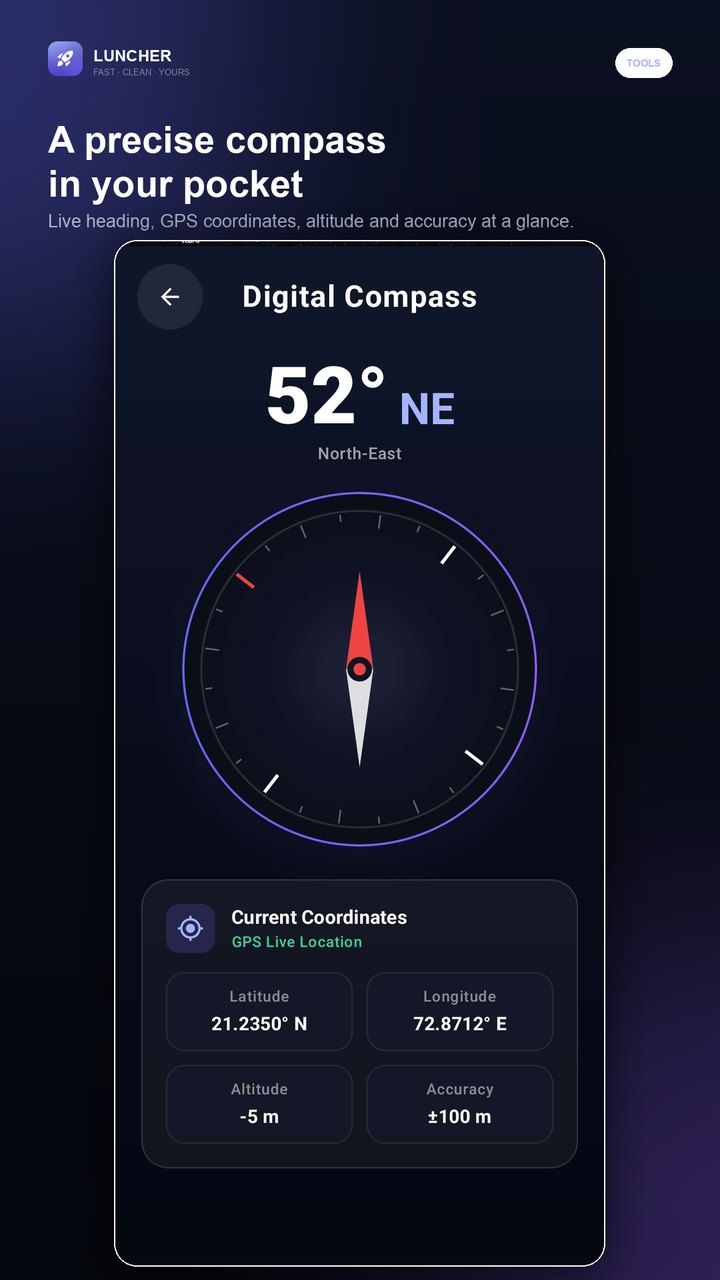
Torch with strobe, SOS and screen-light modes; a digital compass with live coordinates; a weather forecast; and a one-tap calculator shortcut.
A built-in Google News reader with local and world editions plus Technology and Sports topics. Headlines open in your browser when you want the full story.
No account, no ads and no analytics SDK. The installed-app list and compass readings are processed on the device. Only News and Weather make network requests, and Weather sends coordinates only to the weather provider.
Three steps from install to the first real use.
Install, accept the terms and choose Launcher as the default home app. Android will ask once; you can change it back at any time.
Choose vertical scrolling for a continuous grid or horizontal pages with paging dots.
Tap a dock app, swipe up for the drawer, or open Torch, Compass, Weather, Calculator and News from the quick tools row.
com.prodevinfotech.luncherappCan't find it here? Ask support — a real person answers.
Practical guides on running a cafe, billing and the floor — written by the team that builds Launcher.
An app drawer is a list in install order pretending to be a filing system. Three ways to sort 120 apps, the six buckets that survive contact with real use, and what to do with the ones you never open.
ReadLauncher's privacy policy and terms are hosted here, identical to the text bundled inside the app.

Pause the endless scroll. Solve one small puzzle first.
A gallery that feels like a feed. An editor that stays offline.

Paper to private PDF, without a cloud account.
The iPhone home screen, on your Android.

Run the counter, the tables and the kitchen from one screen.